


My Journey to a Second Brain
In 2021, I participated in cohort 12 of Tiago Forte's Building A Second Brain cohort-based-course (BASB). I ultimately became a lifetime member and took the course 3 times. As a knowledge worker and someone seeking structure in a vast and complex world of interconnected information, I needed a set of tools that would support rather than hinder my creative process. Some people call that a note-taking system. Others call it a Second Brain. A Second Brain is a dynamic system that allows you to CODE (capture, organize, distill and express) your ideas, manage projects and tasks, and keep your information optimized in a digital brain, so your organic brain can focus on being creative and productive.
Here's my current Second Brain workflow after 5 years of honing it (I'll update this with a proper diagram later):
# CAPTURE (Capture ideas):
Kindle - (highlights and notes from ebooks)
Instapaper - (highlights from online content)
Readwise - (collects all highlights from kindle and instapaper and syncs them to obsidian)
Obsidian - (.md based notetaking app which syncs to Reaswise)
Neovim - (Customizable terminal-based text editor. This is where I do all of my notetaking, writing, editing, and coding).
- Accesses the same .md database as obsidian
- Built in dictation inside .md files

# ORGANIZE (Organize ideas):
Obsidian - (provides the .md link syntax for wiki functionality and collects all highlights in a local database). Also provides "graph view" for "mind map" style visualization of the entire database
Neovim - Includes:
- "PAZRA" Folder structure adding "Zettelkasten" to Tiago Forte's "PARA" method: Projects, Areas, Zettelkasten, Resources, Archive
- Customizable search criteria to single out zettelkasten notes, literature notes/highlights, project files, cwd with custom keybindings

# DISTILL (Hone and create ideas):
Neovim - Includes:
- Custom multi-persona AI assitance for writing, editing, coding
- Minimalist zen writing environment in markdown and other coding languages


# EXPRESS (Publish ideas):
Neovim - LaTex support for typesetting and pdf rendering
Ghost (ghost.org - this website/blog). It includes:
- A self-hosted & maintained instance of the ghost app on a remote server
- Personalized theme that I customized using claude code and neovim
- Built in newsletter and paid membership support
Frappe LMS (planned) - Eventually I'll sell some courses and maybe host a membership community using this Open Sourced LMS
My Second Brain Zettelkasten System in Neovim is Open Sourced on github here:


My github avatar is a marmot ninja named "Ronin".
Getting Started: Evernote → Notion → Obsidian
I started this journey years ago in evernote, knowing that I needed a place to organize my thoughts, writings, design inspiration and projects. I stored everything from screenplay ideas to course notes, personal journals and to-dos in evernote and I quite loved having a digital space for my thoughts in one place. But at that time I didn't have clarity on what I wanted to do with it. I didn't have a clear strategy for my work.
When notion.so came out I migrated over and discovered Tiago Forte's work. With the BASB community's help, I eventually got rolling with a full fledged second brain in notion.
I could read books in my kindle, export the highlights to notion via readwise, and write, organize and connect the dots in notion. I had a massive interconnected spaceship for writing and project management. It was epic. Epic but complex. Too complex. Over time, my notion became bloated and disorganized, and I realized that it had become "too much tool". I think there are ways to build a very simple notion setup and it being free, I can recommend it. But given my experience and my desire to evolve my setup, it was time to move on. So I started looking to create a life of true digital minimalism.
In researching new, minimalist tools, I came to learn that much of the world's text is formatted behind the scenes in markdown, and as a result I started to get curious about Obsidian. I loved obsidian's ability to display interconnected notes as a mind-map. I eventually even used obsidian to create a Cognitive Behavioral Therapy map of my own mind and desired behaviors, which helped me to unlock hidden superpowers.
My musings with markdown also introduced me to the vast world of software engineers and academics in STEM who use markdown-based presentation tools for building complex slide decks. As a consultant who had been suffering at the hands of Powerpoint for Mac for the past 4 years I was hungry for an alternative, and the possibility of integrating presentation design into my Second Brain was a compelling and inspiring idea.
Discovering the Zettelkasten Method
Through Obsidian, I discovered the idea of the "zettelkasten" or "note box" which is a method of knowledge management commonly attributed to German sociologist Niklas Luhmann.
The idea behind a zettelkasten is that you build an interconnected web of ideas that supports you in finding new connections and patterns. Originally it was an analog system of boxed notes linked with a decimal system (like in the old library catalogues). But with digital and web-based technologies, the zettelkasten has evolved to being wiki-linked. It's like having your own, personalized wikipedia that you can use as a grounded theory research tool to find new ideas in your own thinking. You create one note per completed idea, and link each note to other related notes. Over time, your zettelkasten grows, in richness and in connections, and it aids you in your writing process. In Obsidian, viewing your interconnected zettelkasten notes as a "mind map" (they call it "graph view") allows you to visually see how all of your notes interact.
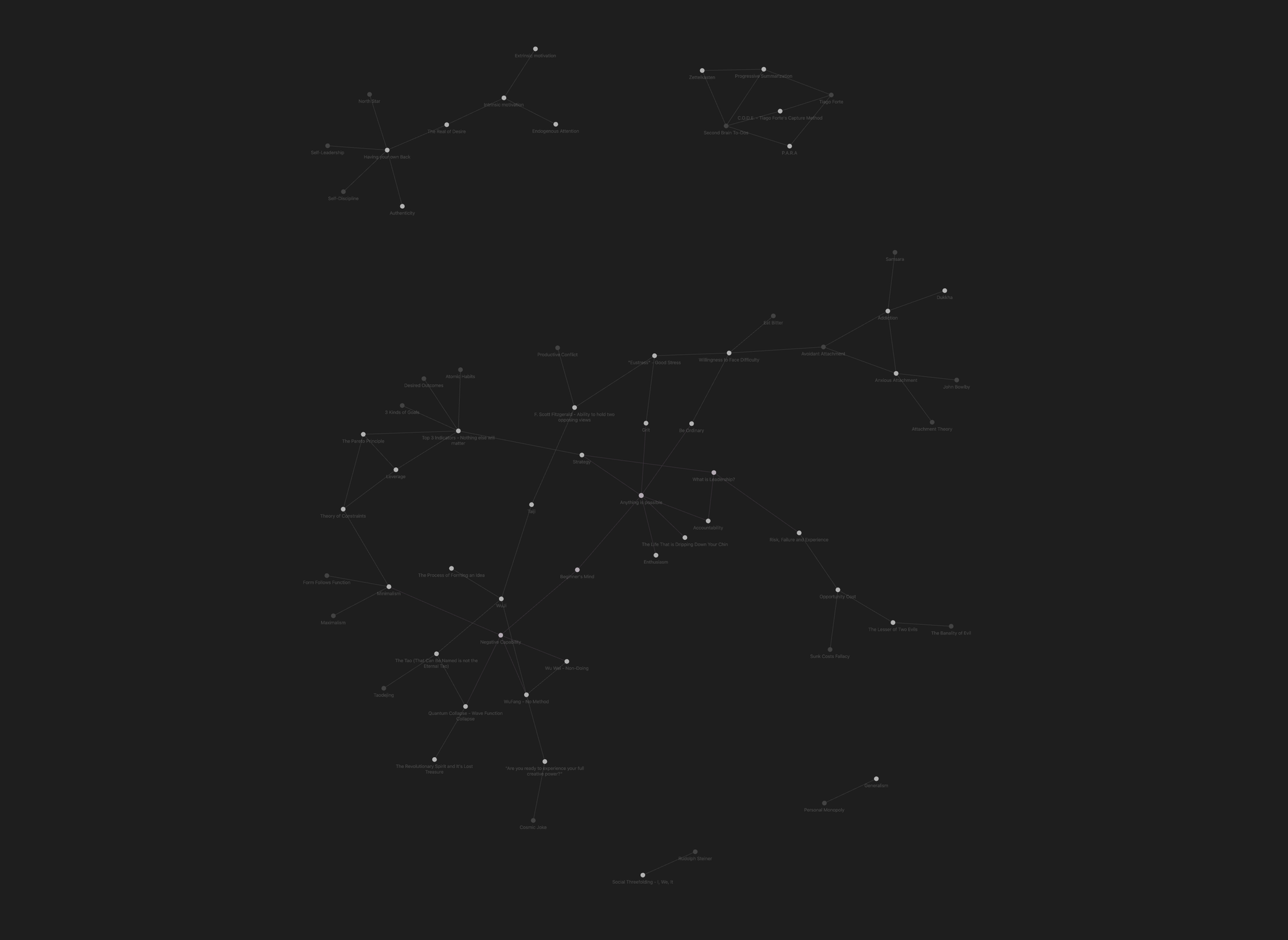
When you look at the relationships between your notes, you can discover new patterns in your thinking, and develop new hypotheses and new ideas that never would have come about if you hadn't built a zettelkasten.
Here's a really great video by Vicky Zhao explaining the Zettelkasten method:
A NeoVim and Obsidian Second Brain for Writing
Neovim is a text and code editor that runs in the terminal. It's a crazy place to start learning to code because many professional developers don't even use it because it's quite complicated to set up and customize.
My good friend and philosopher Ben Brast-McKie got me properly rabbit-holed on neovim over the last few years. As a logician, he relies on text editors for writing because of a digital typesetting system called LaTex (pronounced "lay-tech") to format his philosophy papers for publication. The complex array of symbols needed for logic formulas combined with the publication requirements of academic journals, made using LaTex and obvious choice, as Ben could write his papers using templates without having to create formatting from scratch every time. And neovim has solid LaTex integration along with a number of other useful tools while being fully customizable. Ben is now developing sound reasoning for AI agents based on verifiable philosophical logic.
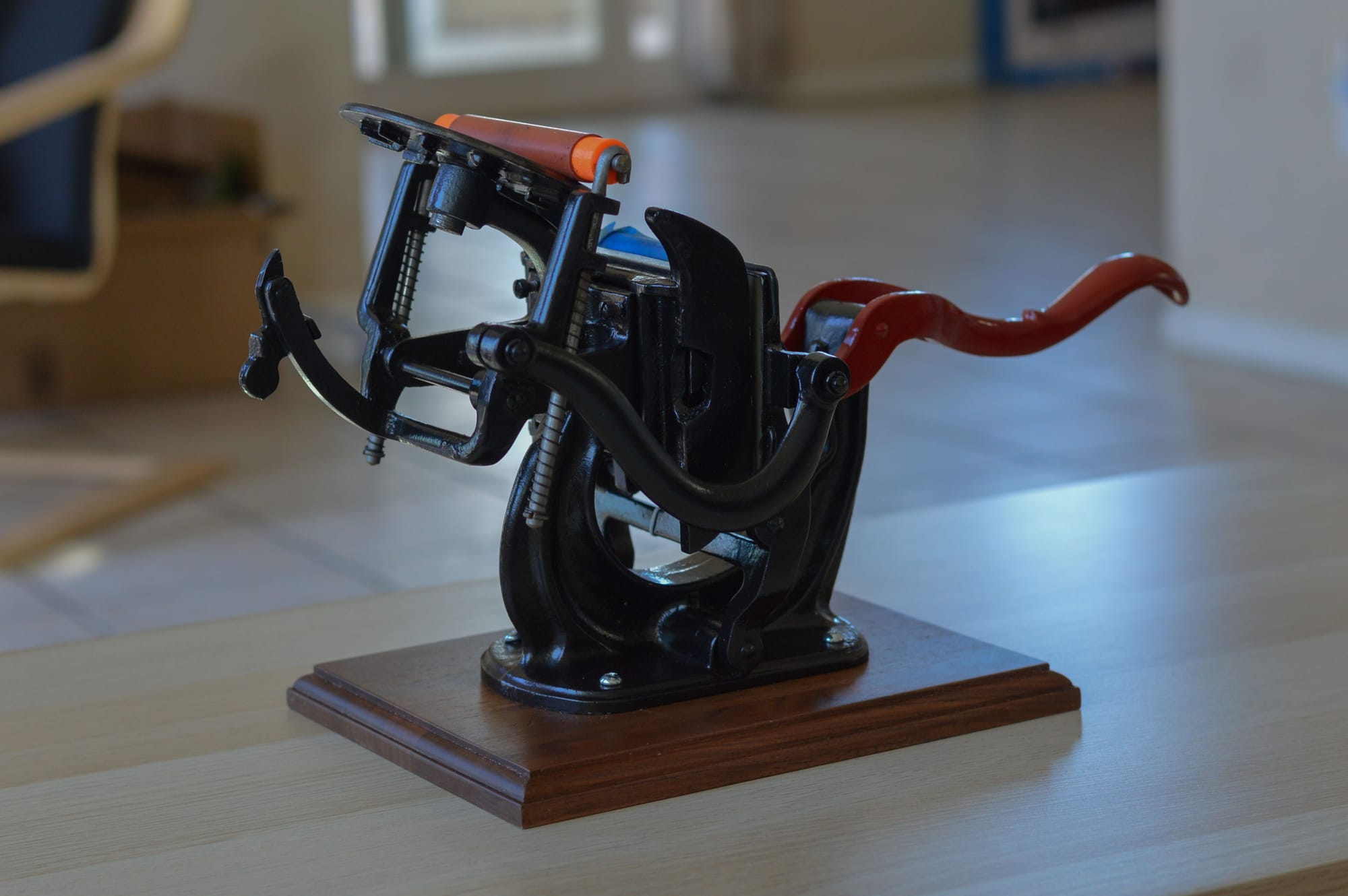
For me, LaTex was my entrypoint into neovim, providing a robust and professional typesetting tool: a single location to write, edit and format my writings into professionally formatted books without having to kiss the ring of the publishing industry. While the idea of writing a book and "trying to get it published" sounds exhausting to me, the idea of writing, editing and publishing my own creative work feels powerful and inspiring. I love the old technology of typesetting—letterpresses are absolutely beautiful—and owning a printing press was once a hallmark of intellectual sovereignty. In today's digital world, using LaTex and neovim to format and publish in a variety of media without relying on intermediaries feels like something of a modern equivalent. Honestly if I hadn't found LaTex, I don't know if I would be working on the book I'm currently writing!
At first I could see that Neovim had a terribly steep learning curve, and was going to require a level of coding knowledge that I just didn't have. I started off by cloning Ben's configuration and playing around with it for a while, getting it working, breaking it and fixing it multiple times and eventually deciding to stick with Obsidian. Neovim was just too much work to get going.
Then in 2024, Ben was in NYC, and he showed me Lectic, an AI assistant plug-in created by Graham Leach-Krouse for Neovim that drops a customizable anthropic or open-AI agent directly in your markdown files via API. It's an unbelievably useful tool. This eliminated any doubt in my mind that AI was going to fundamentally change the world, and I saw the possibility of creating a next-gen second-brain / zettelkasten that would transform my writing process and make my life way easier. I had to go all-in on neovim.
After about eight painful but rewarding months of running a moderately customized but still limited clone of Ben's config (his version is too much tool for my needs), Claude Code was released. It was time to build my own configuration.
With the help of Claude Code, I fully customized the configuration, from the bottom up, integrating and customizing new tools, adding plug-ins and removing old ones that I was no longer using.
Tiago Forte's PARA method with a Zettelkasten
I also integrated a separate folder for my Zettelkasten into my folder structure adding a Z to Tiago's classic PARA folder structure. So my Second Brain is organized according to "PAZRA":
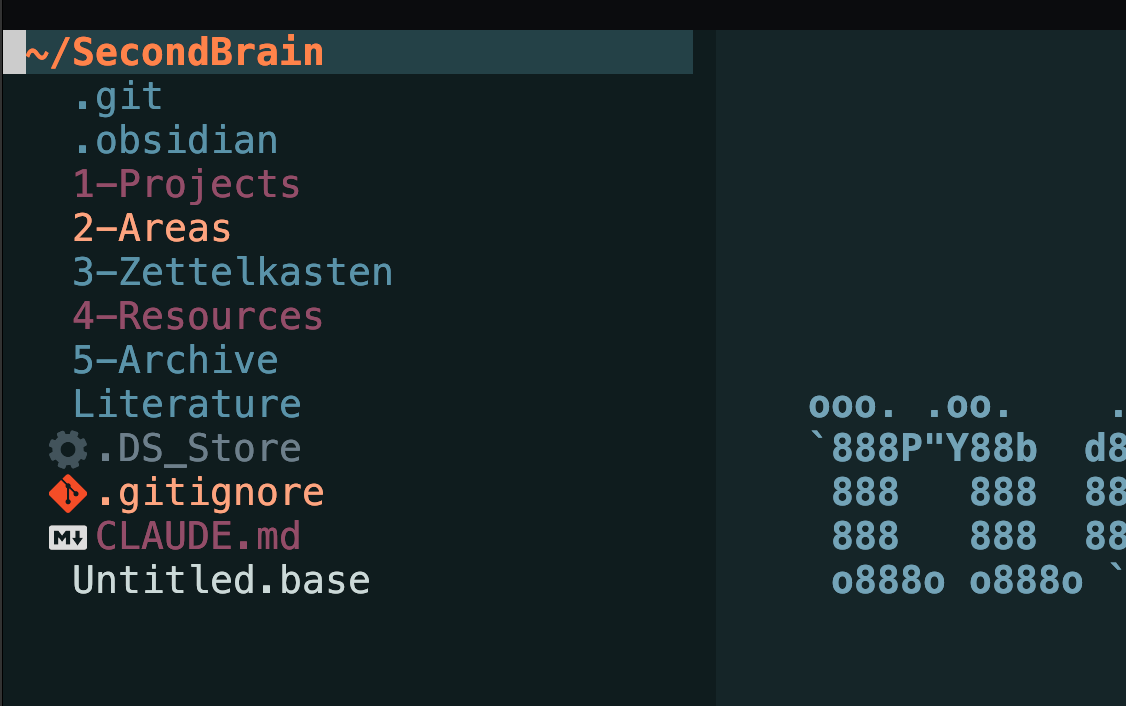
I also decided to keep my highlights and literature notes in a separate folder called "Literature" as it's so huge that keeping it alongside my other resources would mean things get lost in the weeds.
In any case, my current Second Brain configuration is cooler than I ever could have imagined.
At some point I'll do a video with a walkthrough demo of my setup, but in the meantime, feel free to clone my github repo if you want to play around with it!
Features:
Writing & Note-Taking
- Zen mode for distraction-free writing (snacks.nvim)
- Speech-to-text dictation with vocal.nvim (local Whisper model, fully offline)
- Markdown rendering and preview
- Smart per-filetype completion (blink.cmp)
- Obsidian vault integration with wiki-link completion
- Lectic AI assistance with 12 switchable personas (my own design via which-key and snippets):

- Switch personas mid-conversation with <leader>mp and select your persona - frontmatter will update, preserving Obsidian fields and previous conversation
- Context files added to conversation via simple path syntax.
LaTeX Publishing
- VimTeX integration with forward/inverse search
- LaTeX-specific snippets via LuaSnip
- Omni-completion for citations and references
- PDF compilation and viewing
- Templates for books, letter writing, CV, etc
Development
- LSP support (lua-language-server, etc.)
- Treesitter syntax highlighting
- Neo-tree file explorer
- Git integration (Gitsigns, LazyGit via Snacks)
- Telescope fuzzy finding
UI & Navigation
- Which-key command palette
- Bufferline tab management
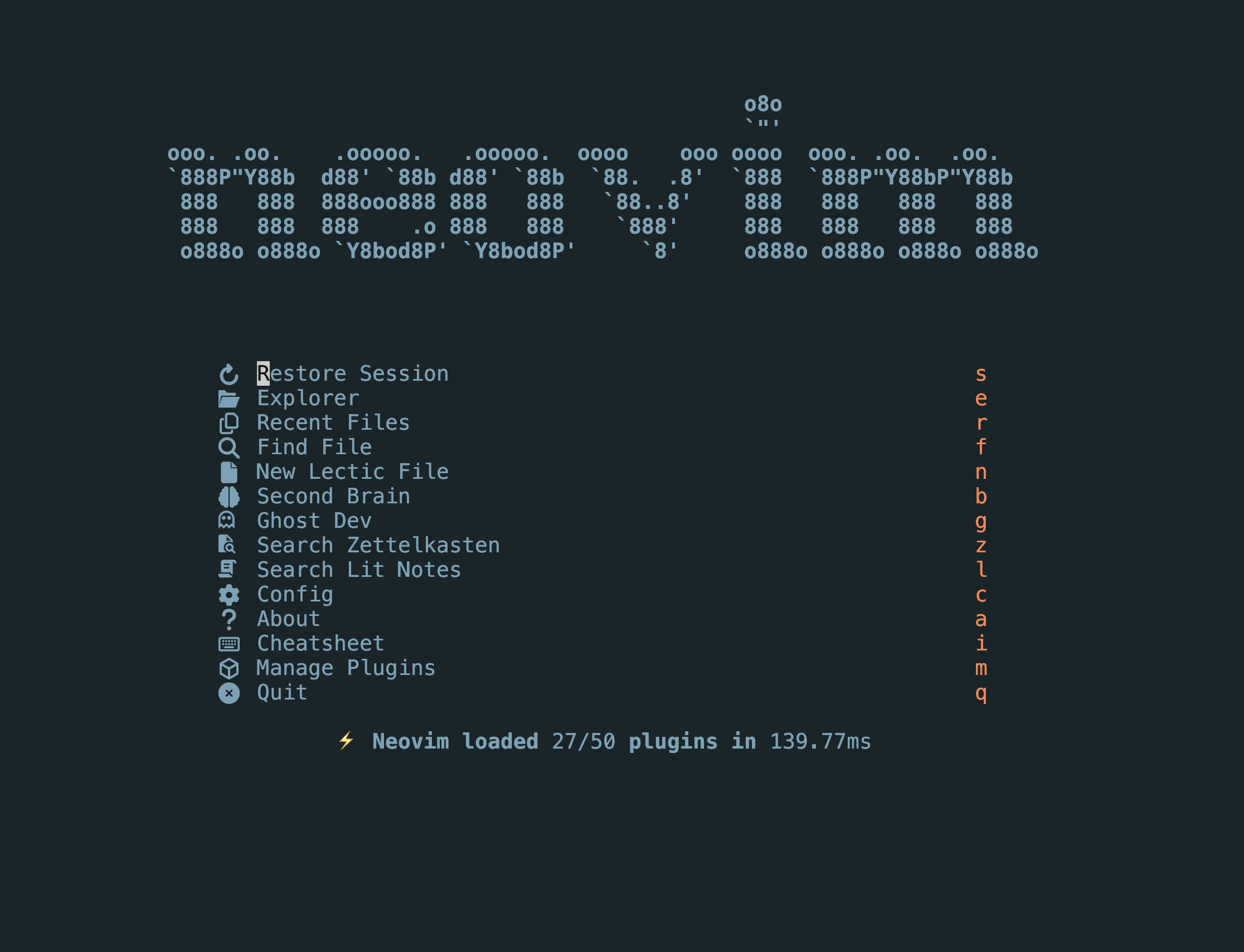
- Snacks.nvim utilities (dashboard, notifications, zen)
- Color schemes auto-switch based on what I'm working on: Second Brain, Ghost Customization or Neovim config


